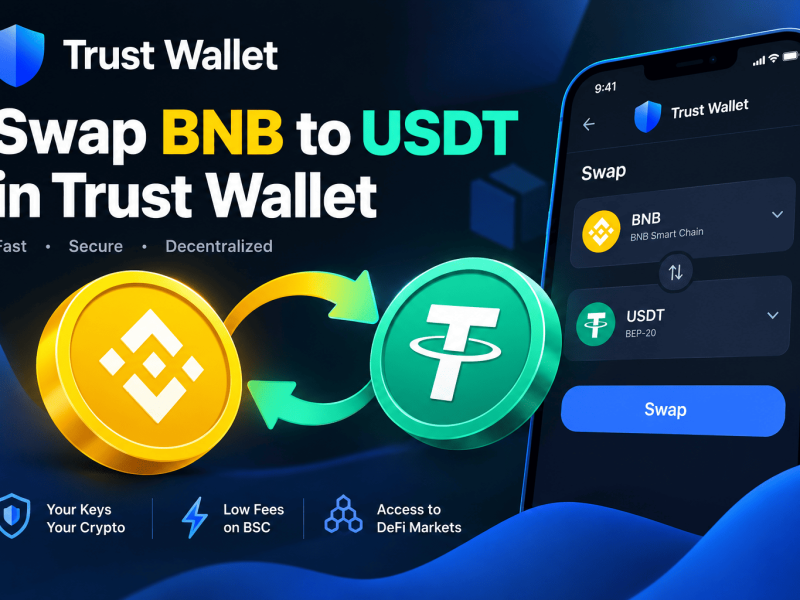
Swapping BNB to USDT in Trust Wallet takes about 30 seconds. Open the app, tap Swap, select BNB as your “From” token and USDT as your “To” token on the BNB Smart Chain, enter your amount, and confirm. You’ll pay a small gas fee in BNB, and the USDT arrives in your wallet almost instantly. No exchange account, no KYC, no waiting.
Swap Overview:
If you hold BNB, you already know it’s the backbone of the BNB Smart Chain, the network that powers millions of daily transactions, DeFi protocols, and decentralized applications. But BNB’s price moves. Sometimes you want stability. Sometimes you want to lock in gains without cashing out to your bank.
That’s where USDT comes in.
Tether (USDT) is the most traded stablecoin in crypto. It’s pegged to the US dollar, which means its value doesn’t swing wildly when the market sneezes. Swapping BNB to USDT in Trust Wallet is the fastest way to move from a volatile asset into a stable one, without handing your funds to a centralized exchange.
Trust Wallet is a non-custodial wallet. That means you control the private keys. No one can freeze your account or block your transactions. The swap feature connects you directly to decentralized exchanges (DEXs) that route your trade through liquidity pools. Everything happens on-chain, and you stay in control the entire time.
This guide walks you through the exact steps, the fees you’ll pay, the mistakes to avoid, and what to do when things go wrong. Let’s get into it.
Swap Requirements:
Swapping BNB to USDT is straightforward, but you need a few things in place first.
- Trust Wallet app: Download the latest version from the official App Store or Google Play. Using an outdated version can cause connectivity issues or missing features.
- BNB on the BNB Smart Chain (BEP-20): This is the native token used for gas fees. Make sure your BNB is on the BNB Smart Chain, not the old BNB Beacon Chain. Trust Wallet removed DEX support for the Beacon Chain back in 2022, so swaps only work on the Smart Chain now.
- A small BNB balance for gas: You need BNB to pay the network fee. If you’re swapping all your BNB, you’ll run out of gas. Always leave a little BNB behind (around $0.50 to $2 worth is usually plenty).
- Stable internet connection: Trust Wallet relies on RPC nodes to broadcast transactions. A weak connection can cause “Network busy” errors.
How to Swap BNB to USDT in Trust Wallet: Step-by-Step
Here’s the exact process. It works the same on both iOS and Android.
Step 1: Open Trust Wallet and Tap “Swap”
Launch the app and look at the bottom navigation bar. Tap the Swap icon. If you don’t see it, check that your app is updated. Older versions sometimes hide the Swap tab inside the “DApps” section.
Step 2: Select Your Network and Tokens
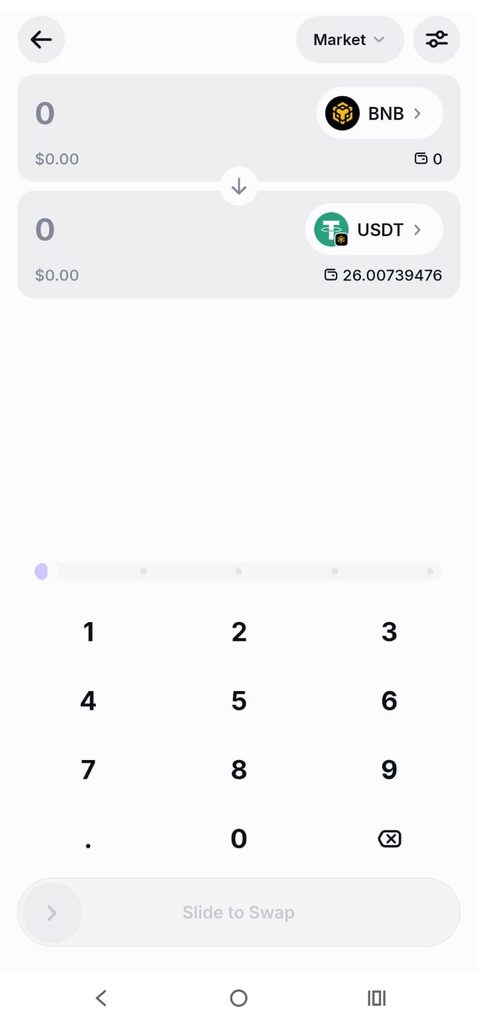
You’ll see two fields: From and To.
- In the From field, tap the network selector (it might default to Ethereum or Bitcoin). Choose BNB Smart Chain. Then select BNB as the token.
- In the To field, keep the network on BNB Smart Chain and select USDT. This is the BEP-20 version of Tether. Don’t confuse it with USDT on Ethereum or Tron, different networks, different tokens.
Pro Tip: If you don’t see USDT in your list, tap “Manage Tokens” or search for it by pasting the official BEP-20 USDT contract address: 0x55d398326f99059fF775485246999027B3197955. This ensures you’re swapping to the real Tether, not a fake copy.
Step 3: Enter the Amount
Type how much BNB you want to swap. The app will show you the estimated USDT you’ll receive. You’ll also see the exchange rate, the network fee, and the minimum received (the lowest amount you’ll get after slippage).
Step 4: Review and Confirm
Tap Preview Swap or Swap. Trust Wallet will show you a summary:
| Detail | What It Means |
|---|---|
| From | BNB amount you’re selling |
| To | Estimated USDT you’ll receive |
| Network Fee | Gas cost paid in BNB |
| Provider Fee | Small fee taken by the DEX (included in the rate) |
| Minimum Received | The floor if slippage pushes below this, the swap fails |
If everything looks right, tap Confirm Swap and authorize the transaction. Depending on network congestion, the swap usually completes in 5 to 30 seconds.
Step 5: Verify Your USDT
Once confirmed, go back to your main wallet screen. You should see your USDT balance updated. If it doesn’t show immediately, pull down to refresh or check the transaction on BscScan using the transaction hash.
Fees Explained
Swapping isn’t free, but it’s cheap on BNB Smart Chain. Here’s what you’re paying:
- Network Fee (Gas): Paid in BNB to validators. On BSC, this is typically $0.10 to $0.50 for a simple swap. During heavy congestion, it might spike slightly, but it’s nothing like Ethereum mainnet.
- Provider Fee: The DEX that routes your swap takes a small cut. This is baked into the exchange rate. Trust Wallet itself does not charge a platform fee.
- Price Impact / Slippage: If your swap is large relative to the liquidity pool, the price might move against you. This is “slippage.” For BNB/USDT, one of the deepest liquidity pairs on BSC slippage is usually negligible for retail-sized trades.
Important: Trust Wallet has a gas sponsorship feature on BNB Chain. For eligible swaps (up to four per day, meeting minimum dollar thresholds), Trust Wallet may cover your gas fee. The app will show “Network fee covered” or similar. Don’t confuse this with a “free swap”, you still pay the DEX’s provider fee through the exchange rate.
Common Problems and Their Fix:
Swaps usually work flawlessly, but sometimes things go sideways. Here’s what to do.
“Swap Failed” or “Slippage Exceeded”
The price moved beyond your slippage tolerance before your transaction executed. Fix: Increase your slippage tolerance in the swap settings (tap the gear icon). For BNB to USDT, 0.5% to 1% is usually enough. For more volatile tokens, go higher.
“Insufficient Gas” or “Not Enough BNB”
You’re trying to swap all your BNB without leaving gas money. Fix: Reduce your swap amount slightly. Always keep a small BNB buffer.
Swap Pending Forever
Check the transaction on BscScan. If it shows “Success” but Trust Wallet still says pending, force close the app and reopen it, or clear the app cache.
USDT Not Showing Up
First, check the block explorer to confirm the USDT arrived at your address. If it did, make sure USDT is enabled in your wallet. Go to the token list and toggle it on. If you’re on the wrong network (e.g., viewing Ethereum instead of BNB Smart Chain), you won’t see your BEP-20 USDT.
Frequently Asked Questions
Is swapping BNB to USDT in Trust Wallet safe?
Yes, the process uses audited DEX smart contracts and Trust Wallet never takes custody of your funds. However, DeFi carries risks, including smart contract bugs, phishing sites, and fake tokens. Always verify the USDT contract address and download Trust Wallet only from official sources.
How long does the swap take?
On BNB Smart Chain, swaps typically confirm in 5 to 30 seconds. Network congestion can slow it down, but BNB Smart Chain is designed for speed and low fees. If it takes longer than a few minutes, check the transaction hash on BscScan.
What is the minimum amount I can swap?
There’s no strict minimum from Trust Wallet, but very small swaps might not be worth it after gas fees. A good rule of thumb is to make sure your swap is large enough that the gas fee is less than 1% to 2% of the transaction value. On BNB Smart Chain, even a $10 swap can be economical.
Can I swap BNB to USDT on a different network?
Trust Wallet supports swaps across multiple chains, including Ethereum, Solana, and Polygon. However, the process is network-specific. If your BNB is on BNB Smart Chain, you must swap to BEP-20 USDT. To get USDT on Ethereum or Tron, you would need to use an appropriate bridge or cross-chain swap.
Do I need to complete KYC?
No. Trust Wallet is non-custodial. Swapping through its built-in DEX aggregator does not require identity verification. However, if you use third-party fiat on-ramps or off-ramps inside the app, those services may require KYC.
What happens if the swap fails? Do I lose my BNB?
If a swap fails, your BNB stays in your wallet. You may still lose the network gas fee for the failed transaction attempt. Trust Wallet may show an error reason, such as excessive slippage or insufficient gas. Check the transaction details, adjust the settings if appropriate, and try again.
Can I swap BNB to USDT in India?
Technically, yes. Trust Wallet is a self-custody software wallet, but cryptocurrency activity in India is subject to applicable laws, regulations, and tax rules. Crypto gains may be subject to taxation, and a 1% TDS can apply to certain virtual digital asset transactions under Indian tax rules. Regulations and tax treatment can change, so consult a qualified local tax professional for advice about your situation.
Why does the swap show a different rate than what I see on Binance?
Trust Wallet routes swaps through decentralized exchanges and liquidity sources rather than Binance’s centralized order book. DEX prices reflect the current liquidity available in their pools, so they can differ slightly from centralized exchange prices. The difference is often small for liquid BNB/USDT markets, but some price variation is normal.
Swapping BNB to USDT in Trust Wallet is one of the simplest DeFi actions you can take. It takes less than a minute, costs pennies on BNB Smart Chain, and keeps you in full control of your assets.
The key takeaways: always keep a little BNB for gas, verify the USDT contract address, and understand that “gas-free” doesn’t mean “fee-free”. Once you’ve done it a few times, it becomes second nature.
Now you have a stablecoin strategy right in your pocket. Use it wisely.