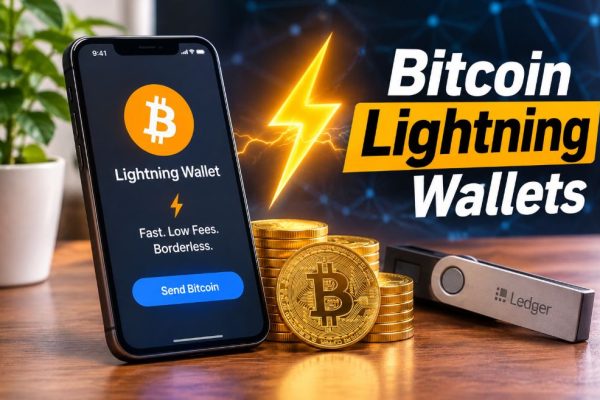
The best Bitcoin wallet in 2026 depends on one question: are you holding long term, or spending frequently? For cold storage, the Ledger Nano X and Trezor Safe 5 remain the two hardware benchmarks. For mobile-first self-custody, BlueWallet and Muun are the most Bitcoin-native options.
For multi-chain users who still want BTC in the same app, Exodus and Trust Wallet dominate by user count. Sparrow is the desktop standard for serious UTXO management. Coinbase Wallet is the most convenient gateway but carries the most product instability.
One clarification before the table: Bitcoin does not have native staking. BTC runs on proof-of-work, so any “Bitcoin staking APY” you see is either a wrapped or bridged asset, a lending product, or yield on a separate proof-of-stake chain.
Where wallets advertise staking, this guide specifies what is actually being staked and at what rate. That distinction has saved more readers from bad yield products than any security chip ever will.
Best Bitcoin Wallets:
| Wallet | Type | Launch | Price / Fee | Best for | Staking / Yield reality |
|---|---|---|---|---|---|
| Ledger Nano X | Hardware | 2019 | $99–$149 | Bluetooth cold storage, multi-chain | No BTC staking; staking available for ETH, SOL, DOT, ATOM on supported assets |
| Trezor Safe 5 | Hardware | 2024 (lineage 2018) | $129 | Open-source firmware, touchscreen | No BTC staking; staking via third-party integrations only |
| Exodus | Software | 2015 | Free; swap spread 0.5%–2% | Beginners, desktop portfolio management | BTC not stakeable; SOL, ADA, ATOM, ETH and others roughly 1.24%–13.88% APR |
| Trust Wallet | Software | 2017 | Free; gas only on most actions | Mobile multi-chain, high asset count | BTC not stakeable; staking on supported PoS assets, $0 Trust Wallet fee |
| Coinbase Wallet | Software | 2018 (relaunched 2025) | Free; DEX swap up to 1%; ETH staking 15% commission | Convenience, Base ecosystem access | ETH staking below 32 ETH via Kiln; no BTC staking |
| BlueWallet | Software | 2017 | Free; Bitcoin network fee only | Bitcoin-only mobile use, Lightning | No staking; Lightning via external LNDhub |
| Muun | Software | 2018 / iOS 2019 | Free; network fees vary | Simple BTC + Lightning self-custody | No staking |
| Sparrow | Desktop | 2020 | Free; network fee only | Coin control, multisig, hardware pairing | No staking |
1. Ledger Nano X:
Launched in 2019 as a mobile-friendly successor to the Nano S, the Nano X remains Ledger’s mid-range workhorse at $149 officially, though street pricing has dipped to $99 in late 2026.
It is the only Ledger device that combines Bluetooth with a built-in battery, which matters if you sign transactions from an iPhone or Android device without wanting a cable tether.
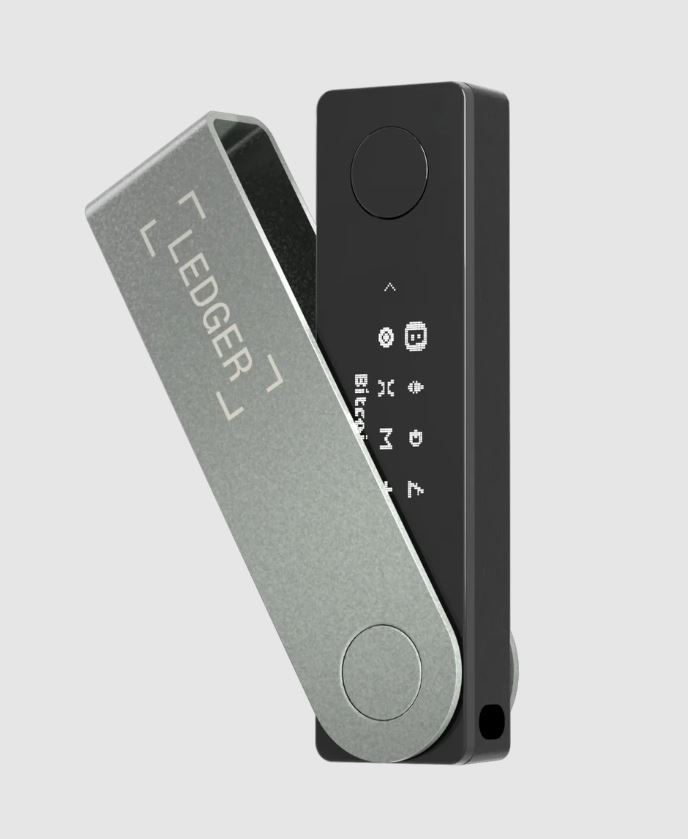
Security and capacity. The Nano X uses a CC EAL5+ certified Secure Element chip and advertises support for 5,500+ coins and tokens across 100+ chains through Ledger Live and connected third-party wallets.
The chip itself has never been publicly compromised, though Ledger’s 2020 customer-data leak and the optional 2023 Ledger Recover service remain legitimate criticisms in security circles.
Fees and staking. The device is a one-time purchase. Transaction fees are network fees only. Ledger Live does not support native Bitcoin staking because Bitcoin is not a proof-of-stake network. It does offer staking for Ethereum (roughly 4%–5% APY), Solana (6%–7%), Cardano (3%–5%), Polkadot (around 10%–12%), and Cosmos (up to 19.5%), depending on validator conditions.
Ledger also activated a Bitcoin yield route via Lombard and Figment in 2026, but the reported APY was just 0.41%, which tells you how thin genuine BTC yield is at the base layer.
What Reddit says. Reddit tends to treat Ledger as the default hardware recommendation for people who want Bluetooth and broad coin support, but the Nano S Plus is frequently called the better value for anyone who does not need wireless pairing.
The recurring criticism is not the chip; it is the company’s data handling and the closed-source firmware.
2. Trezor Safe 5:
Trezor’s flagship lineage runs back to the Model T in 2018, which introduced a colour touchscreen and was discontinued in January 2026 after a seven-year run. The current recommendation is the Safe 5, priced at $129, with a 1.54-inch colour touchscreen, USB-C, an EAL6+ certified secure element, and fully open-source firmware and hardware.
Trezor is the most-recommended hardware brand on Reddit specifically because its firmware is auditable and its track record is long. The trade-off is physical security: the Model T and earlier devices lacked a secure element, and published physical attacks have demonstrated seed extraction without a strong passphrase.
The Safe 5 addresses part of that gap with the secure element, but Trezor’s own documentation still emphasises passphrase use for high-value holdings.
Now let’s discuss about the fees and staking. One-time purchase, no subscription, network fees only. Trezor does not offer native Bitcoin staking. Staking on Trezor is limited to supported proof-of-stake networks via third-party integrations, and the company does not position itself as a yield platform.
Review. In October 2026, a Trezor Safe 5 bought from an unauthorised reseller in Southeast Asia was reported to contain an extra circuit board capable of reading the screen and exfiltrating the recovery phrase.
Trezor removed the reseller and confirmed no user funds were lost, but the incident is a reminder that buying directly from the manufacturer is not optional advice; it is a security requirement.
3. Exodus:
Exodus launched in 2015, founded by JP Richardson and Daniel Castagnoli, and is now a publicly listed company on NYSE American under the ticker EXOD. It reported 1.4 million monthly active users as of mid-2026, which puts it in a different traction category from most wallets on this list.
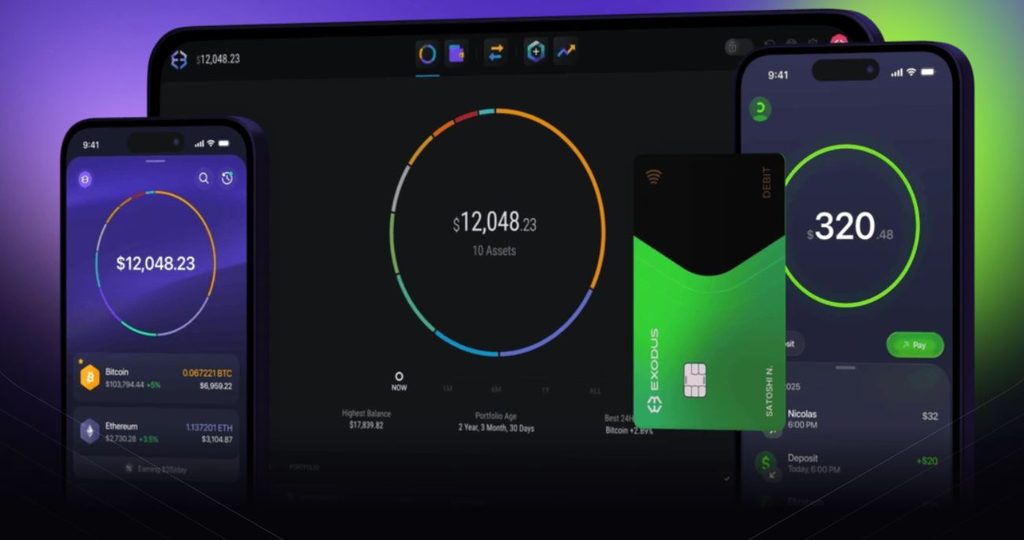
Exodus is best understood as a portfolio interface first, wallet second. It supports Bitcoin, Ethereum, Solana, and a broad set of EVM and non-EVM networks, with built-in swaps, fiat on-ramps, and hardware wallet pairing for both Ledger and Trezor. The desktop app runs on Windows, macOS, and Linux, and mobile syncs to the same wallet.
Fees. The download is free. Swaps carry a spread that typically runs 0.5%–2%, depending on the quote and pair. Network fees apply on top. There is no subscription.
Staking reality. Exodus is not a Bitcoin staking wallet. It offers staking on proof-of-stake assets including Solana, Cardano, Cosmos, Tezos, Algorand, Ontology, VeChain, and Ethereum. Reported APR across supported assets ranges from 1.24% to 13.88%, and rates move daily. Exodus routes staking through Everstake and receives a monthly subscription fee from the provider, a detail worth understanding before assuming the advertised APY is net of all costs.
What reviewers say. Exodus is consistently described as the easiest on-ramp for a newcomer: polished, visually clear, and forgiving. The criticisms are equally consistent: the complete wallet is not open source, mobile dApp connections were removed, and the swap spread is wider than a dedicated exchange.
One 2026 sentiment analysis of Reddit and Trustpilot posts found opinions on Exodus split almost evenly, which is a fair summary of a wallet that trades transparency for usability.
4. Trust Wallet:
Trust Wallet launched in 2017, was acquired by Binance in 2018, and operates as an independent multi-chain wallet. It claims over 220 million users in 2026, making it the most downloaded non-custodial mobile wallet in the world on some measures. It supports 100+ blockchains and millions of assets.
Fees. Trust Wallet charges $0 on staking, buying, sending, and receiving as a platform fee. Users pay blockchain gas on transactions, and swap fees are embedded in the exchange rate rather than shown as a separate line item. That structure is cheap for simple transfers but makes swap pricing harder to compare across wallets.
Staking. BTC is not stakeable. Trust Wallet offers staking on supported proof-of-stake assets with no platform fee, which is genuinely competitive, but the underlying network and validator conditions still determine the real yield.
The security record deserves context. The mobile app has a built-in Security Scanner that assigns a risk level to each transaction. The browser extension is a different story: a wallet-generation flaw disclosed in April 2023 cost users about $170,000, and a malicious extension update in December 2025 drained roughly $7 million. Trust Wallet pledged to compensate users both times, and the mobile app was not affected.
The practical takeaway is not to abandon Trust Wallet; it is to treat browser-extension wallets with more scepticism than mobile apps, and to never trust a “Trust Wallet support phone number” found online. Every one of those is a scam.
5. Coinbase Wallet:
Coinbase Wallet is one of the most recognisable names in self-custody, but its product history is messier than the brand suggests. The original self-custody wallet launched in 2018; the current product was rebranded as “Base App” in July 2025 and then reverted to Coinbase Wallet in September 2026.
A wallet that changes name and interface structure twice in fourteen months is not a stability story, and Reddit discussions around Coinbase Wallet frequently centre on which account type holds which assets rather than on the wallet’s core security.
What it does well. Coinbase Wallet supports Bitcoin, Ethereum, Base, Arbitrum, Optimism, Polygon, Avalanche, BNB Smart Chain, and Solana, with Ledger support through the browser extension and gasless swaps on Ethereum and Polygon. ETH staking below 32 ETH is available via Kiln. USDC sends on Base can benefit from sponsored gas.
Fees and staking:
The wallet is free to download. DEX swaps carry a fee of up to 1% per trade, plus aggregator and network costs. ETH staking carries a 15% commission on rewards through the wallet’s staking route, which is materially higher than staking directly or through a lower-fee provider. There is no Bitcoin staking.
Who should use it. Coinbase Wallet makes sense for users already inside the Coinbase and Base ecosystem who value one-click on-ramps and do not mind a shifting product surface.
For pure Bitcoin holding, the wallet’s passkey smart-wallet account type cannot even hold BTC, which is a critical limitation to understand before depositing.
6. BlueWallet:
BlueWallet launched in 2017 and is free, open source, and Bitcoin-only. It does not charge subscription fees or platform transaction fees; users pay only Bitcoin network fees on on-chain transactions. For anyone who wants a clean Bitcoin wallet without altcoin clutter, it is one of the most respected names in the category.
BlueWallet supports multiple wallets, watch-only accounts, multisig vaults, PSBT-based hardware wallet signing, and fee customisation starting from 1 satoshi/vB with Replace-By-Fee support.
The important limitation is Lightning: BlueWallet discontinued its hosted Lightning service in 2023, so Lightning functionality now requires an external LNDhub connection. That is a meaningful friction point for users who want instant, low-cost payments without running infrastructure.
Staking. None. BlueWallet is Bitcoin-only, and Bitcoin does not stake.
Reddit view. BlueWallet is typically recommended as the mobile companion to a hardware wallet or as a Bitcoin-only daily wallet for users who understand fee control. The complaints are not about trust; they are about the Lightning setup and the absence of altcoins.
7. Muun:
Muun launched in 2018, with its iOS release in October 2019, and is a self-custodial Bitcoin and Lightning wallet for iOS and Android. Its defining feature is a single balance that covers both on-chain and Lightning funds, which removes the mental overhead of managing two separate Bitcoin balances.
Fees. Muun is free to download and use, with no subscription. The fee story is where it gets nuanced. Muun’s Lightning transactions rely on submarine swaps under the hood, and independent reviewers estimate that effective Lightning fees can run 10 to 50 times higher than a native Lightning wallet such as Phoenix or Breez.
For occasional Lightning payments, that is acceptable. For frequent small payments, Muun is not the right tool.
Security model. Muun uses a 2-of-2 multisig model in which the user controls both keys through an Emergency Kit, which is a more resilient recovery design than a single seed phrase for users who store the kit properly.
Staking. None. Muun is Bitcoin-only.
Reddit view. Muun is praised for simplicity and for making Lightning approachable without a node, but the fee criticism is consistent and specific. Users who move small amounts frequently are routinely steered toward Phoenix or Breez instead.
Recommended Read: Muun Review
8. Sparrow:
Sparrow is a free, open-source desktop Bitcoin wallet built for coin control, multisig, PSBTs, privacy, and hardware-wallet pairing. It charges no fee of its own; the only cost of a transaction is the Bitcoin network fee, which the user selects. There is no token, no premium tier, and no support team. Help comes from documentation and the community.
Sparrow is not a beginner wallet and does not try to be. It is the wallet that experienced Bitcoiners pair with a Coldcard, Trezor, or Ledger when they want to see exactly which UTXOs they are spending, build a multisig quorum, or connect to their own node for privacy. Version 2.5.4 landed in August 2026, and the project remains actively maintained.
Staking. None. Sparrow is Bitcoin-only.
Reddit view. Sparrow is the default desktop recommendation for users who have outgrown a mobile wallet. The criticism is not about fees or trust; it is about the learning curve.
If you do not know what a PSBT is, Sparrow will feel like a tool designed for someone else, because it is.
Transaction Fees:
Hardware wallet purchase prices are a one-time cost and rarely the deciding factor. The fees that compound over years are:
- Swap spreads inside software wallets. Exodus at 0.5%–2% and Coinbase Wallet at up to 1% are meaningfully more expensive than swapping on a competitive exchange, especially on large tickets.
- Staking commissions. Coinbase Wallet’s 15% commission on ETH staking rewards reduces the effective yield. Ledger and Trust Wallet route staking with lower or zero platform fees on supported assets.
- Lightning fees on non-native wallets. Muun’s submarine-swap model is convenient but expensive for frequent small payments.
- Bitcoin network fees. Every wallet on this list passes through miner fees. BlueWallet and Sparrow give you the most control over setting them.
Frequently Asked Questions
Can you stake Bitcoin for APY?
No, not natively. Bitcoin uses proof-of-work and has no staking mechanism. Products advertising BTC yield are either wrapping or bridging BTC into another protocol, lending it out, or paying rewards in a different token. Reported Bitcoin yield in 2026 ranged from roughly 0.41% on Ledger’s Lombard route to around 3% on Stacks-based products, but none of these are base-layer staking.
Is a hardware wallet necessary for small amounts of Bitcoin?
No. A mobile wallet like BlueWallet or Muun is reasonable for spending balances. A hardware wallet becomes the right call when the amount you hold exceeds what you are comfortable losing to a compromised phone or browser.
Which wallet has the lowest fees?
For pure Bitcoin use, BlueWallet and Sparrow charge no platform fee and let you set the network fee manually. For multi-chain swaps, no wallet is genuinely cheap; Exodus and Coinbase Wallet both embed costs into the quote or charge up to 1%.
Is Trust Wallet safe after the browser-extension incidents?
The mobile app was not affected by the 2023 and 2025 extension incidents, and Trust Wallet compensated affected users. The practical stance from security-focused Reddit threads is to use the mobile app for everyday holdings and avoid treating any browser-extension wallet as a vault.
Why is Coinbase Wallet’s staking commission so high?
Coinbase Wallet routes ETH staking through a service provider and takes a 15% commission on rewards. That covers operational and compliance overhead, but it is materially higher than staking directly or through a lower-fee provider.
What is the best wallet for a beginner in 2026?
Exodus for a desktop or mobile portfolio interface, and Trust Wallet for a mobile-first experience with the largest asset selection. Both are free, both are non-custodial, and both have enough of a user base that help is easy to find.
Can I use a hardware wallet with a mobile wallet?
Yes. Ledger Nano X pairs over Bluetooth, and Trezor devices pair with Exodus and Sparrow. BlueWallet and Sparrow also support PSBT-based signing with hardware devices, which keeps keys offline even when the companion app is online.
Do I need to buy directly from the manufacturer?
Yes. The October 2026 Trezor reseller incident is the clearest recent proof. A hardware wallet bought from an unauthorised reseller can contain an implant before it ever reaches you, and no amount of firmware security fixes a compromised supply chain.